
Why Your $2,000 Gaming PC Still Stutters: The Shader Compilation Problem You Cannot Brute-Force
Powerful gaming PCs can still stutter because of shader and PSO compilation. Here is what is happening, why consoles suffer less, and what developers can do.
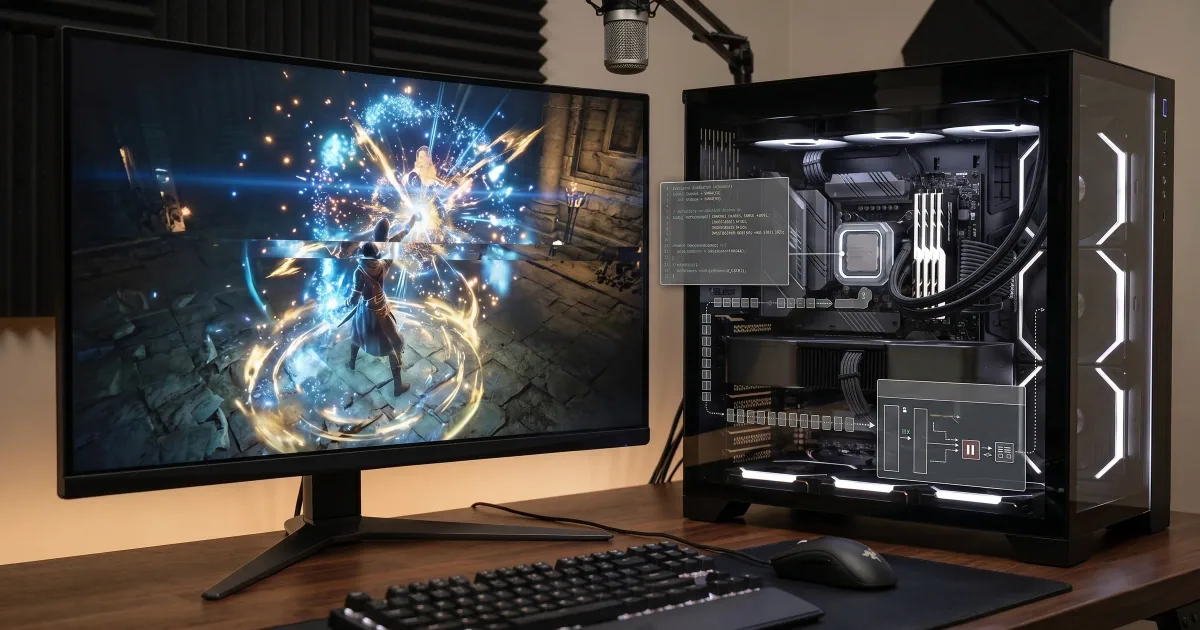
Few experiences in PC gaming are more irritating than buying expensive hardware and discovering that money cannot purchase smoothness.
The frame counter says 120 fps. Your GPU usage looks normal. The benchmark looked excellent. Then you enter a new room, an enemy uses an effect you have never seen before and the entire game catches for a fraction of a second.
Five minutes later it happens again.
You lower the resolution.
It still happens.
You reduce shadows.
It still happens.
You own a processor that would have been considered science fiction a decade ago, yet the game jerks at the exact moment a new effect appears.
This is often called shader compilation stutter, although the underlying problem can involve the wider creation of graphics pipeline state objects, or PSOs. It has become notorious enough that Microsoft described long shader compilation times and in-game shader stutter as two of the biggest problems affecting Direct3D 12 PC games during its GDC 2026 discussion of Advanced Shader Delivery.1
The problem is particularly frustrating because a faster graphics card does not necessarily solve it.
A modern material is more like a program than a picture
Older discussions of graphics often describe textures as though a game's surfaces are simply photographs wrapped around 3D objects.
Modern rendering is much more complicated.
The appearance of wet concrete, human skin, brushed metal, translucent glass or muddy cloth can depend on small programs called shaders. Those programs tell the GPU how to process vertices, pixels, lighting, textures and other data.
A large modern game can contain an enormous number of materials, lighting configurations and rendering states. Different combinations of features create different shader variants and pipeline configurations.
Before the GPU can efficiently execute some of that work, the relevant code and graphics state have to be prepared.
If preparation happens while you are playing, you may feel it.
Epic's Unreal Engine documentation is unusually direct about this. It explains that shader compilation can create significant processing spikes and noticeable frame-rate hitches, which is why Unreal includes systems for caching and precaching pipeline states.2
Why does it happen the first time I see something?
Imagine a game has never needed a particular graphics pipeline during your current run.
You enter an area with a new material, effect or rendering combination.
The engine asks for the pipeline.
The required PSO is not already available.
Something in the software stack has to prepare it.
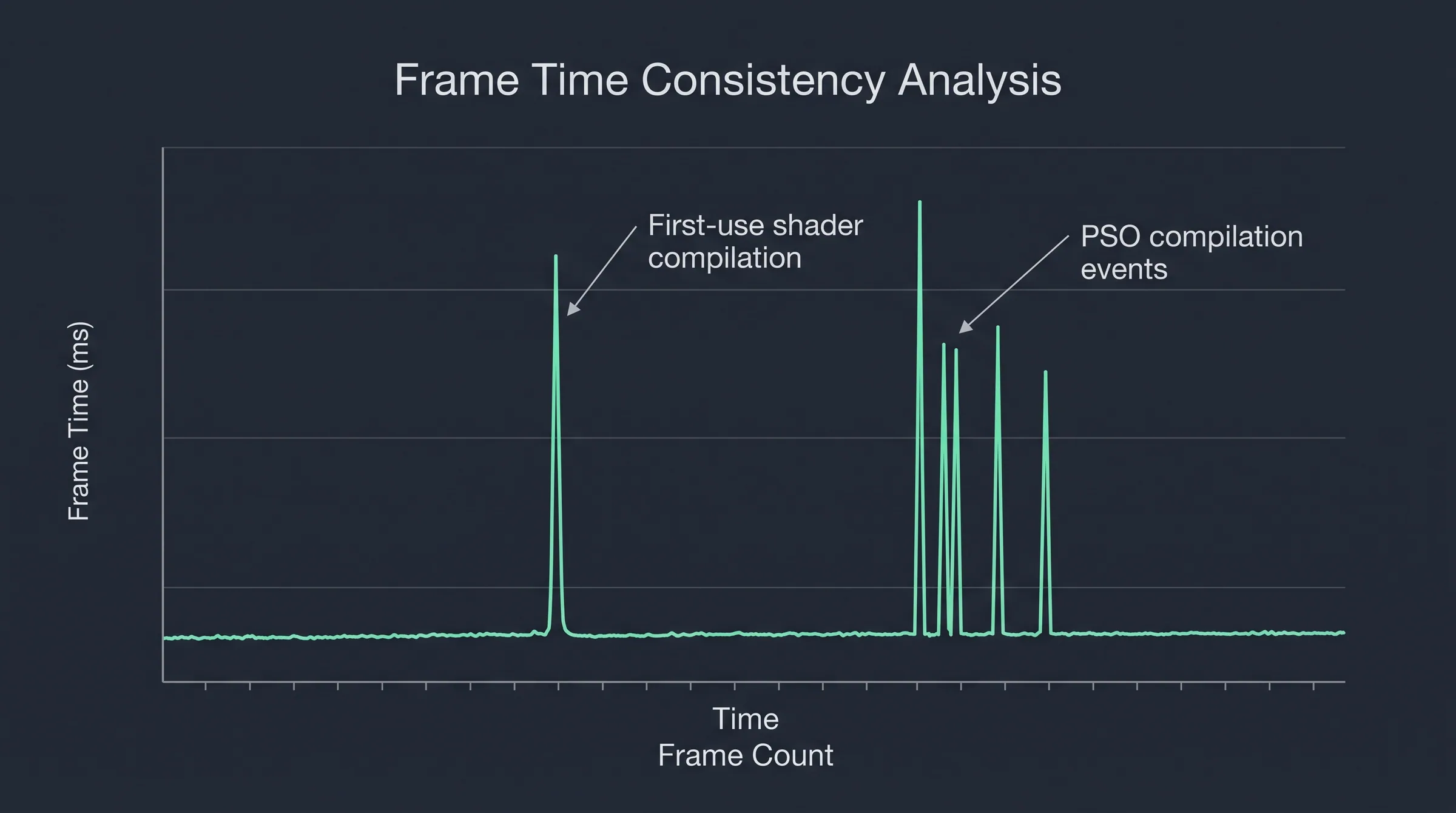
Epic notes that generating a new PSO on demand can take 100 milliseconds or more in some circumstances. A normal 60 fps frame lasts about 16.7 milliseconds. A 100 ms interruption is therefore not a subtle performance loss. It is a visible hitch.3
This also explains a strange phenomenon PC players frequently report: the game stutters during the first playthrough of an area but behaves better the second time.
The relevant pipeline data may now exist in a cache.
Your graphics card did not become faster.
Your computer simply stopped being surprised.
Why consoles have an enormous advantage
PC gamers often ask the obvious question: if a PlayStation or Xbox can run the game smoothly, why does a much faster PC have to compile anything?
Because a console is predictable.
A developer knows which GPU architecture will be used, which driver environment exists and which hardware configuration the game will encounter. The studio can prepare much more of the relevant graphics work ahead of time for that known target.
PCs are heterogeneous.
A shader may need to operate across different Nvidia, AMD and Intel architectures and different driver versions. Microsoft specifically identified this hardware and driver matrix as one of the difficulties in delivering precompiled shaders across Windows PCs.
This is one of PC gaming's great strengths and one of its permanent engineering headaches.
You can upgrade a PC almost indefinitely.
The developer has to support the consequences.
Why do some games compile shaders at startup?
You've probably launched a modern game and encountered a progress bar saying something similar to Compiling shaders.
Players understandably complain when this takes several minutes.
Ironically, the loading screen may be doing you a favor.
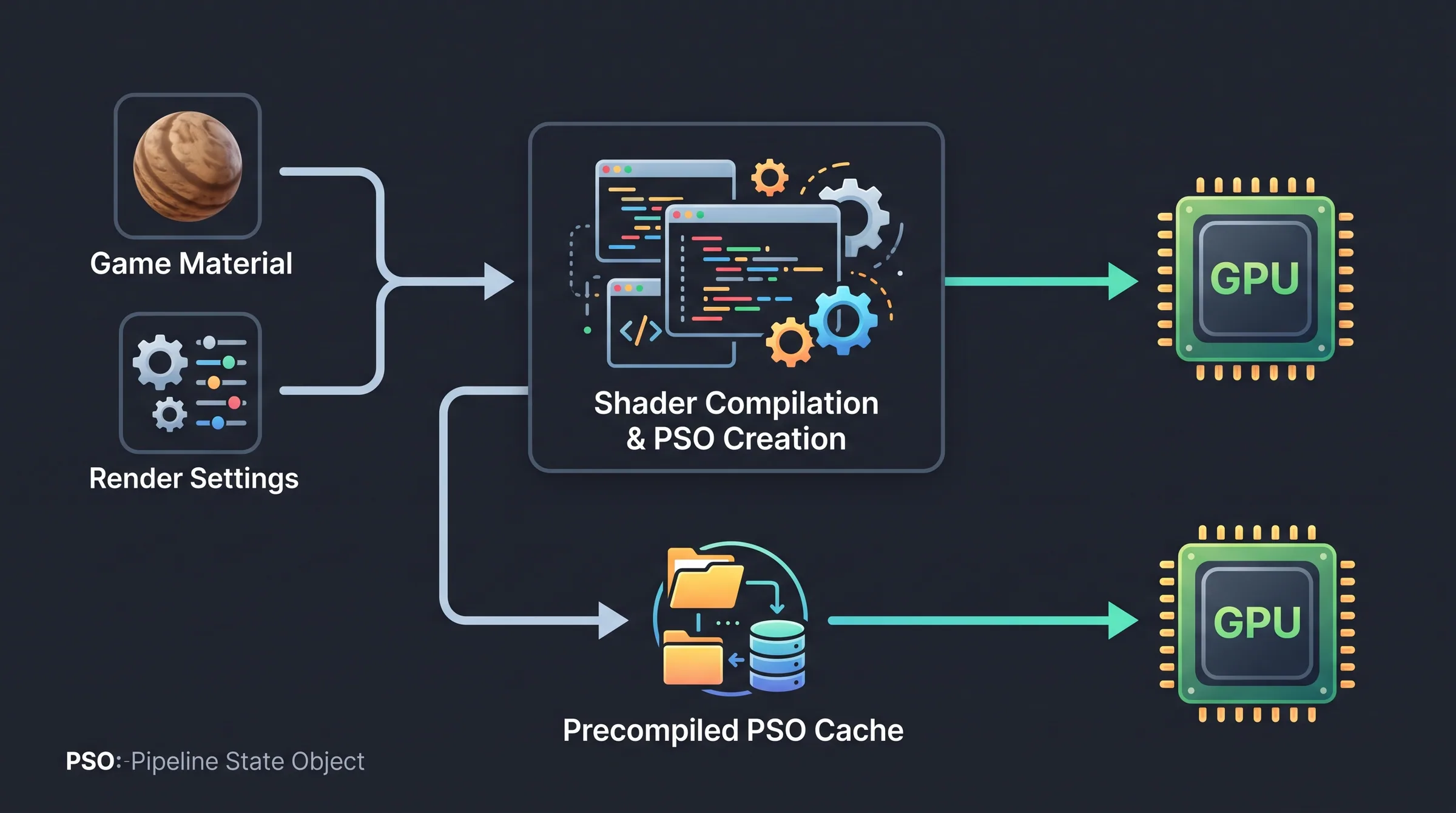
If the developer can identify the pipeline states the game will need and prepare them before gameplay begins, those expensive operations do not have to interrupt you during a fight.
Epic explicitly recommends accounting for PSO precaching in loading screens and waiting for important outstanding compilation work to finish rather than letting it occur when the object is suddenly needed.
A five-minute wait before playing is annoying.
A fifty-millisecond hitch every time you encounter a new effect for the next ten hours can be much worse.
So why don't developers simply precompile everything?
Because "everything" can be enormous.
Modern engines allow huge combinations of materials, render states, passes and features. A single object may participate differently in the main rendering pass, shadow pass, velocity pass, depth pass and other stages.
Compile every theoretical combination and you can create absurd loading times and huge cache requirements.
Compile too little and the player discovers missing states while playing.
The practical solution is to identify what the game genuinely uses and prepare those states efficiently.
Unreal supports several strategies, including automatic PSO precaching and bundled caches built from recorded gameplay. The engine can then load these descriptions and create the necessary states before the renderer urgently needs them.
This is engineering rather than magic, and implementation quality varies dramatically between games.
Driver updates can make the problem seem to return
PC players sometimes notice a cruel sequence.
A game stutters when first installed.
After some play, it becomes smooth.
Then a graphics-driver update arrives and the game begins hitching again.
Caches can become invalid or need to be regenerated when software changes. Game patches can also alter shaders sufficiently that previous cached information is no longer usable.
Epic's documentation specifically notes that cache data can become incompatible when game content or rendering code changes.
That means "it stopped stuttering after an hour" is not necessarily proof that the problem was imaginary.
The machine may literally have been building knowledge as you played.
Not every stutter is shader stutter
This caveat matters because shader compilation has become such a popular explanation that it is now blamed for almost any uneven PC game.
Games can hitch because of asset streaming.
CPU spikes.
Memory pressure.
Garbage collection.
Background applications.
Storage access.
Network activity.
Driver bugs.
VRAM exhaustion.
Poor frame pacing.
Shader compilation is one important class of stutter, not a universal diagnosis.
A useful clue is repeatability. If a hitch occurs the first time a specific effect or area appears and disappears on subsequent runs, compilation becomes more suspicious. If the game stutters continuously in the same location every time, the bottleneck may be something else.
Microsoft is now trying to solve the ecosystem problem
The encouraging development in 2026 is that this problem has become important enough for platform-level work.
Microsoft's Advanced Shader Delivery initiative is explicitly aimed at reducing the need for games to compile shaders at runtime across the messy variety of Windows hardware.
That matters because developers can improve individual games, but PC shader compilation is partly an ecosystem problem. The ideal solution is not asking every studio to reinvent a perfect caching system independently.
Until that infrastructure matures, players will keep seeing the strange contradiction of modern PC gaming.
A $400 console can sometimes deliver cleaner frame pacing than a $2,000 PC.
Not because the console is more powerful.
Because the console is easier to predict.
And smoothness, unlike benchmark averages, often depends on whether the computer already knows what it needs to do before the next frame arrives.