Your PC Isn’t Really “Running” That Old Game: What an Emulator Actually Does
how video game emulators work Related keywords: what is an emulator, console emulation explained, ROM emulator, CPU emulation, emulator JIT Meta description: A game emulator does much more than open an old ROM. Here’s how a modern PC impersonates an entirely different machine.
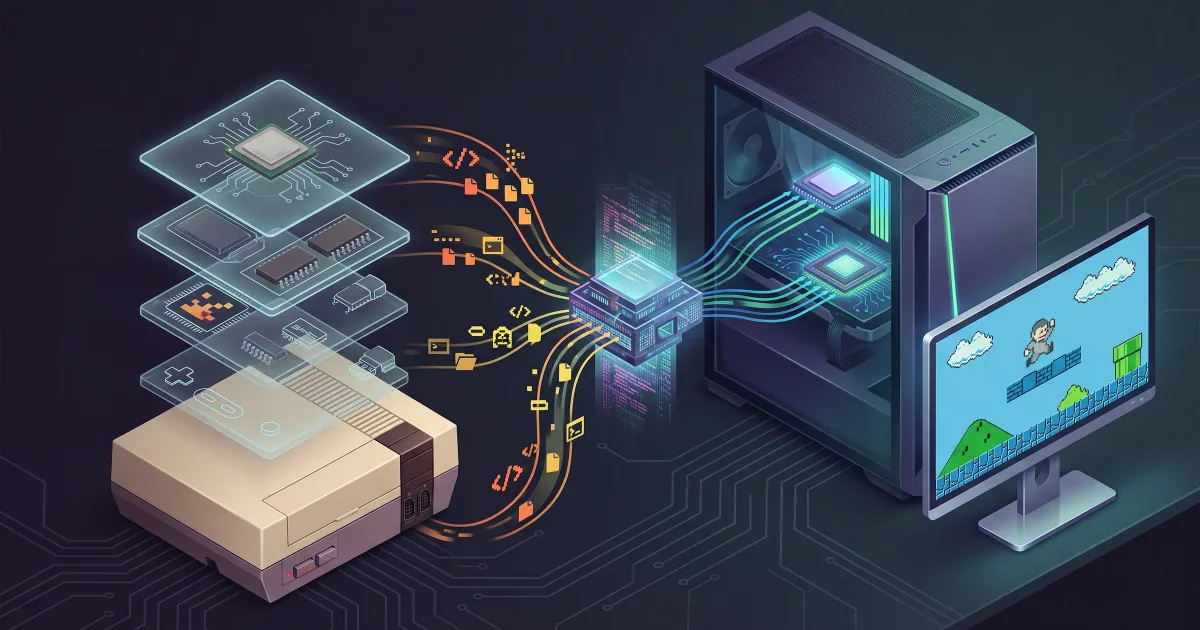
Opening a thirty-year-old console game on a modern laptop can give the misleading impression that the computer has simply figured out how to run an old file. It has not.
In many cases, the instructions inside that game were written for a processor your computer does not contain, a graphics system your GPU was never designed to understand and hardware devices that have been out of production for decades. The game may expect very specific things to happen when it reads or writes particular memory addresses. It may depend on timing quirks that existed only because of the way the original machine was built.
An emulator somehow has to make all of that make sense.
The simplest way to understand emulation is to stop thinking of it as "playing an old game" and instead imagine building an imaginary version of the old console inside your new computer.
That imaginary machine needs enough of the original machine's behaviour that the old software cannot tell the difference.
The game file contains instructions, not footage
When a cartridge is dumped into a ROM image, the resulting file is not a recording of what happened when someone played the game. It contains data from the original software: program instructions, graphics, level data, sound information and whatever else the developer stored there.
When an emulator loads it, the game still expects to execute instructions.
The problem is that processors have their own instruction sets.
A game written for a Motorola 68000-family processor, for example, cannot simply assume that a modern x86 or ARM processor understands the same machine-language instructions. The emulator therefore needs a way to reproduce what the old processor would have done.
One option is interpretation. The emulator reads an instruction intended for the guest processor, figures out what that instruction means, performs the equivalent operation and updates its simulated processor state. Then it proceeds to the next instruction.
That can be extremely accurate, but doing this instruction after instruction creates considerable overhead.
Another option is dynamic recompilation, often described as JIT, or just-in-time compilation. Instead of repeatedly interpreting the same sequence, the emulator can translate blocks of code into instructions that the host machine understands and execute the translated version. QEMU, a major general-purpose emulation project, uses its Tiny Code Generator as a JIT to emulate numerous CPU architectures, illustrating the same underlying principle.
Unfortunately, recreating the processor isn't enough
If consoles consisted only of CPUs, emulator development would be considerably easier.
They don't.
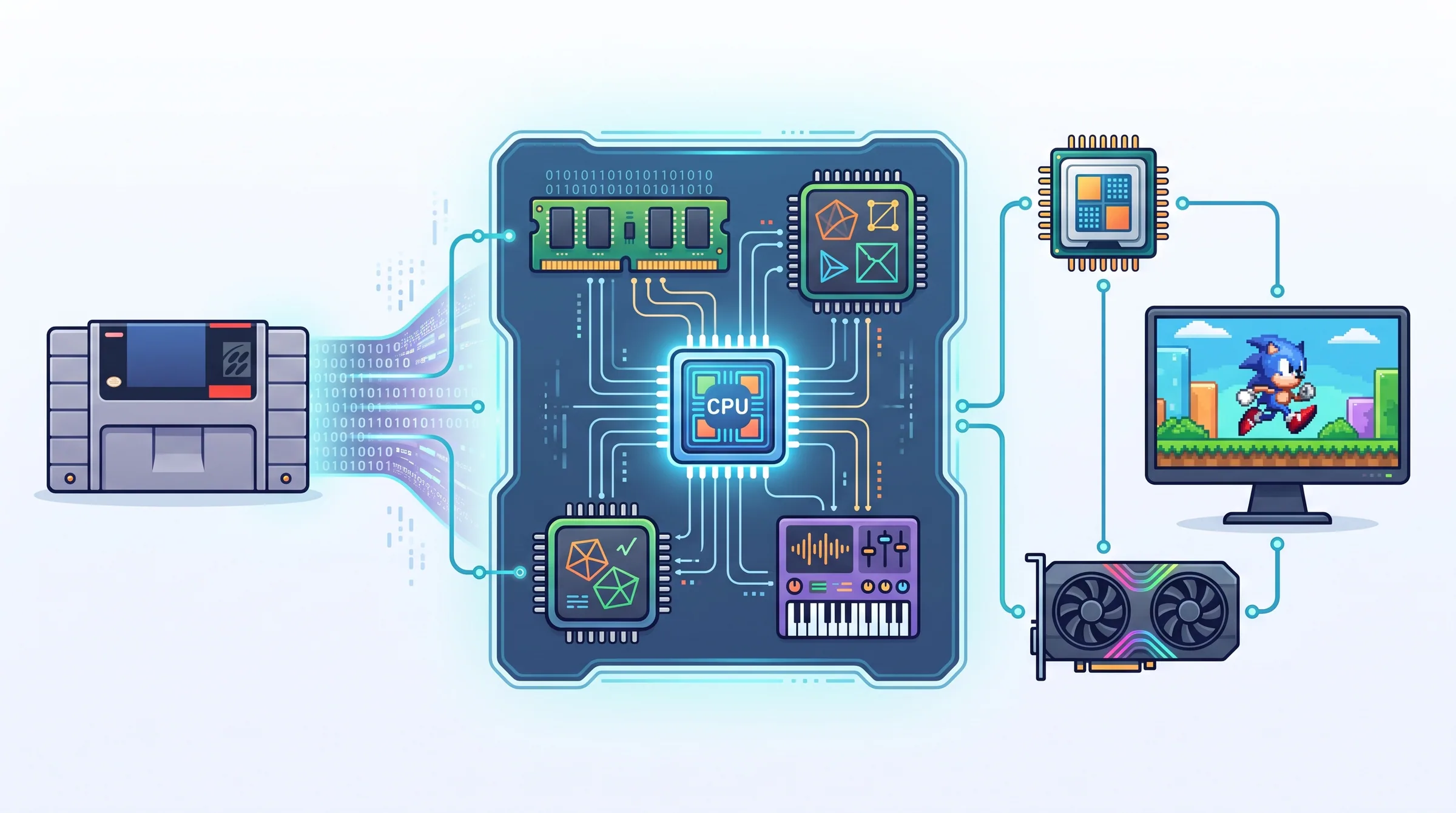
The original game expects an entire machine around that processor: memory, graphics hardware, sound hardware, timers, input devices and often several highly specialized components. Depending on the console, there may also be coprocessors, unusual cartridge hardware or several processors operating simultaneously.
A useful analogy is an orchestra. Recreating the pianist perfectly isn't enough if the composition also requires strings, percussion and a conductor keeping everyone synchronized.
Full-system emulators therefore model much more than instruction execution. QEMU's system-emulation documentation similarly describes its virtual machine model in terms of CPU, memory and emulated devices.
For game consoles, each of those pieces can contain years' worth of obscure behaviour for emulator developers to discover.
Timing is where things become surprisingly difficult
Suppose an emulator calculates the correct result but calculates it at the wrong moment.
That can still be wrong.
Old games sometimes rely on extremely precise relationships between processor cycles, video output, sound hardware and interrupts. If those systems drift out of synchronization, you might get broken sound, graphical glitches, incorrect game speed or software that refuses to work at all.
This explains one of the apparent paradoxes of emulation: why should a machine dramatically more powerful than an old console ever struggle to emulate it?
Because being faster than something is not the same as being good at pretending to be it.
A modern processor running native software can simply execute the instructions it was built to execute. An emulator may have to translate foreign instructions, update a simulated machine, maintain exact state across multiple components, convert old graphics operations into commands suitable for modern hardware and keep everything synchronized closely enough that the game behaves normally.
There is a lot happening between your button press and the pixel that finally appears.
Modern graphics cards don't magically understand old consoles either
Graphics are another fascinating layer.
A 2D console might construct scenes from tiles and sprites. A later machine might use an early 3D pipeline with specialized fixed-function hardware. Newer systems become progressively closer to modern GPU architecture, but each generation comes with its own assumptions and quirks.
An emulator has several possible strategies. It can attempt highly accurate software rendering, translate old graphics operations into modern graphics APIs, or mix techniques depending on what it needs.
This is also why emulators can sometimes make games look dramatically better than original hardware ever allowed. Once an emulator understands what the game is trying to draw, it may be able to render that scene internally at a much higher resolution, improve texture filtering, add anti-aliasing or support widescreen modifications.
The game's rules remain old. The final image no longer has to be.
The controller is being emulated too
Even your input is part of the illusion.
The game might believe it is receiving signals from a controller connected to a physical port on the original console. In reality, you may be using an Xbox controller over Bluetooth, a PlayStation controller over USB or a computer keyboard.
The emulator maps the modern device's input onto the buttons and axes that the old software expects.
From the game's perspective, nothing unusual has happened.
It thinks it is still home.
Why some games work perfectly while others remain broken
Emulation compatibility tends to improve slowly because hardware is full of edge cases.
Most software may use a component in the ordinary documented way. Then one strange game appears that depends on some rarely used behaviour, timing characteristic or hardware bug. Suddenly an approximation that worked for hundreds of titles isn't good enough.
Emulator developers investigate, learn something new about the original machine and make the model more accurate.
Repeat that process for years and what began as a rough imitation can become an astonishingly detailed reconstruction.
That is part of why emulators are interesting beyond gaming itself. Physical machines deteriorate. Optical drives fail, batteries die, chips become difficult to replace and original displays disappear. Software emulation gives historians, developers and players another way to preserve how old computing systems behaved.
The copyright status of game images and their distribution is a separate legal matter from the technology of emulation itself. The emulator's fundamental job is simply to reproduce a machine in software.
And that is the remarkable part.
When you press Start on an emulated game, a modern computer isn't merely opening a relic from the past. For the next few milliseconds, millions of times over, it is performing an elaborate impersonation of hardware built in another era.
If the emulator is good enough, the old game never notices.
Neither do you.